.jpg?token=eyJraWQiOiJzdG9yYWdlLXVybC1zaWduaW5nLWtleV9jOGM1MTliOS0xZjY3LTQyZTctYjY5Ny1iM2M4Njg5ZjU0MzEiLCJhbGciOiJIUzI1NiJ9.eyJ1cmwiOiJibG9nL2VjYzUwYjRiLWVlMjktNDZkMy04ODg0LWVjMjM4YWE0MDJjNC9pbnRyb2R1Y3Rpb24vc3VtbWFyeSBodWIvU3VtbWFyeSBIdWIgKDIpLmpwZyIsImlhdCI6MTc2ODk3MDA0NywiZXhwIjo0ODkxMDM0MDQ3fQ.mS6GS2c3M044O34oaKxZXrUul68DUMFCgT6Nj2tHIG0)
1. Summary Card Info
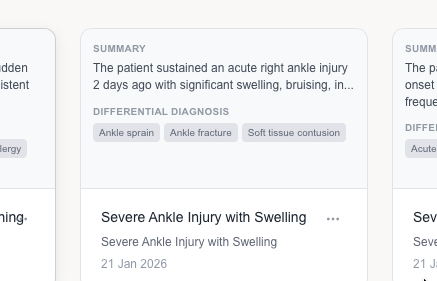
- Intelligent Categorization: Cards are automatically grouped by clinical signals, showing a concise session brief derived from your AI interaction.
- Condition Tags: High-level tags like "Migraine" or "Tension Headache" are featured on the card for rapid risk identification at a glance.
- Session Metadata: Headers display the Chat Title and Timestamp for easy chronological tracking of your medical history.
2. Detailed Form Preview
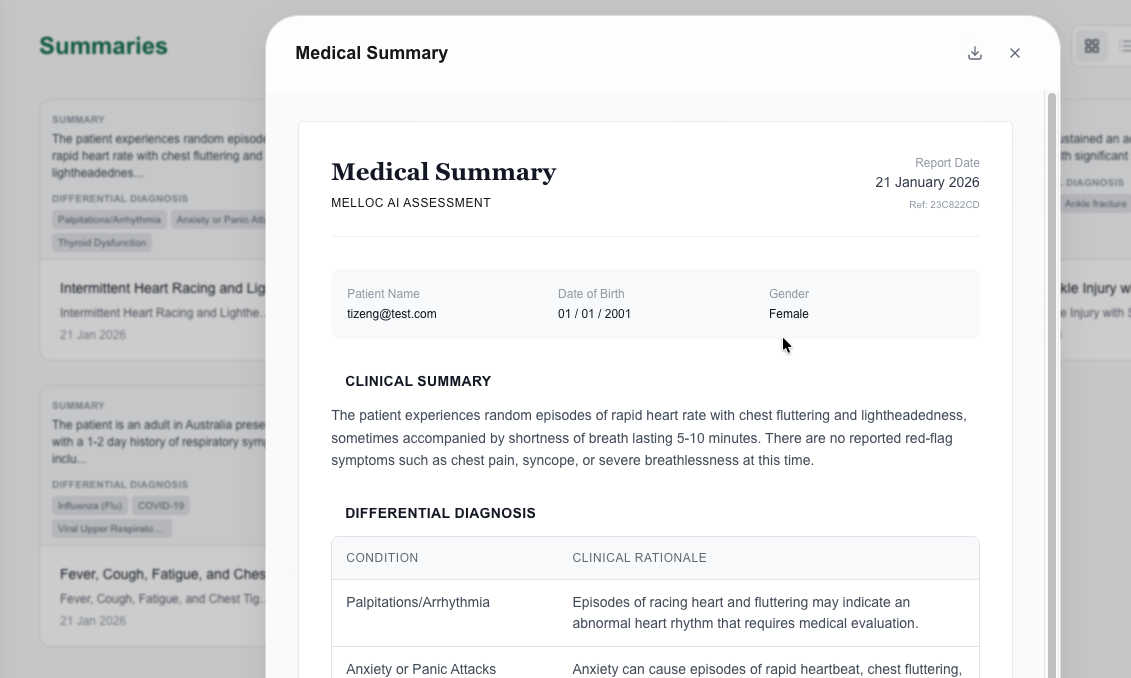
Clicking any card expands the full Melloc Medical Summary Form. This structured document includes patient metadata, a professional clinical narrative, and an evidence-based rationale grid for medical validation.
3. Action Menu
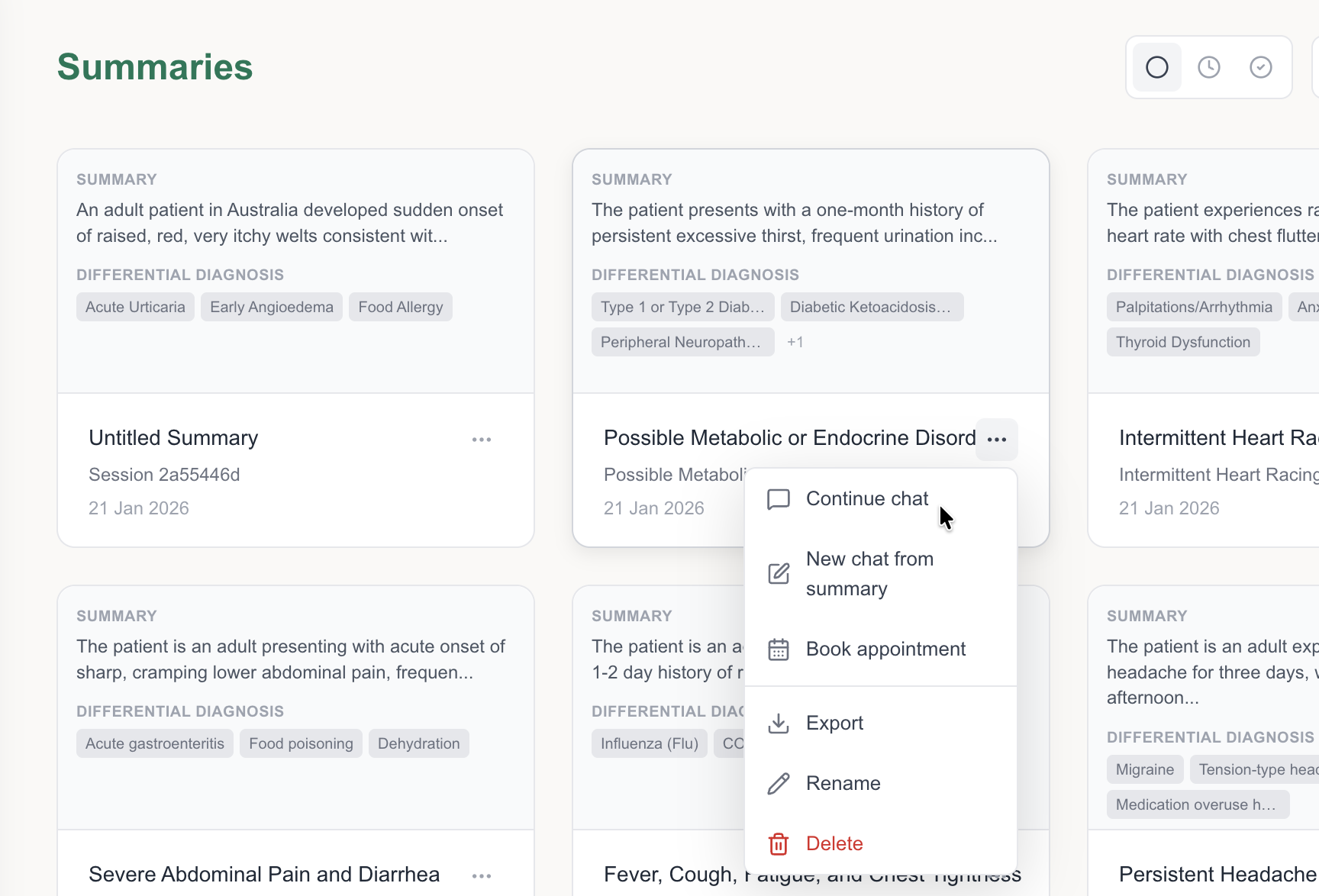
- Resume & Contextual Chat: Continue existing sessions or start new chats where the AI utilizes the summary as your digital medical record for enhanced diagnostic accuracy.
- Clinical Binding: Seamlessly attach summaries to doctor bookings to provide a professional briefing before you enter the clinic.
- Management Tools: Professional options to Export, Rename, or Securely Delete your medical records.
4. Tab Section & Controls

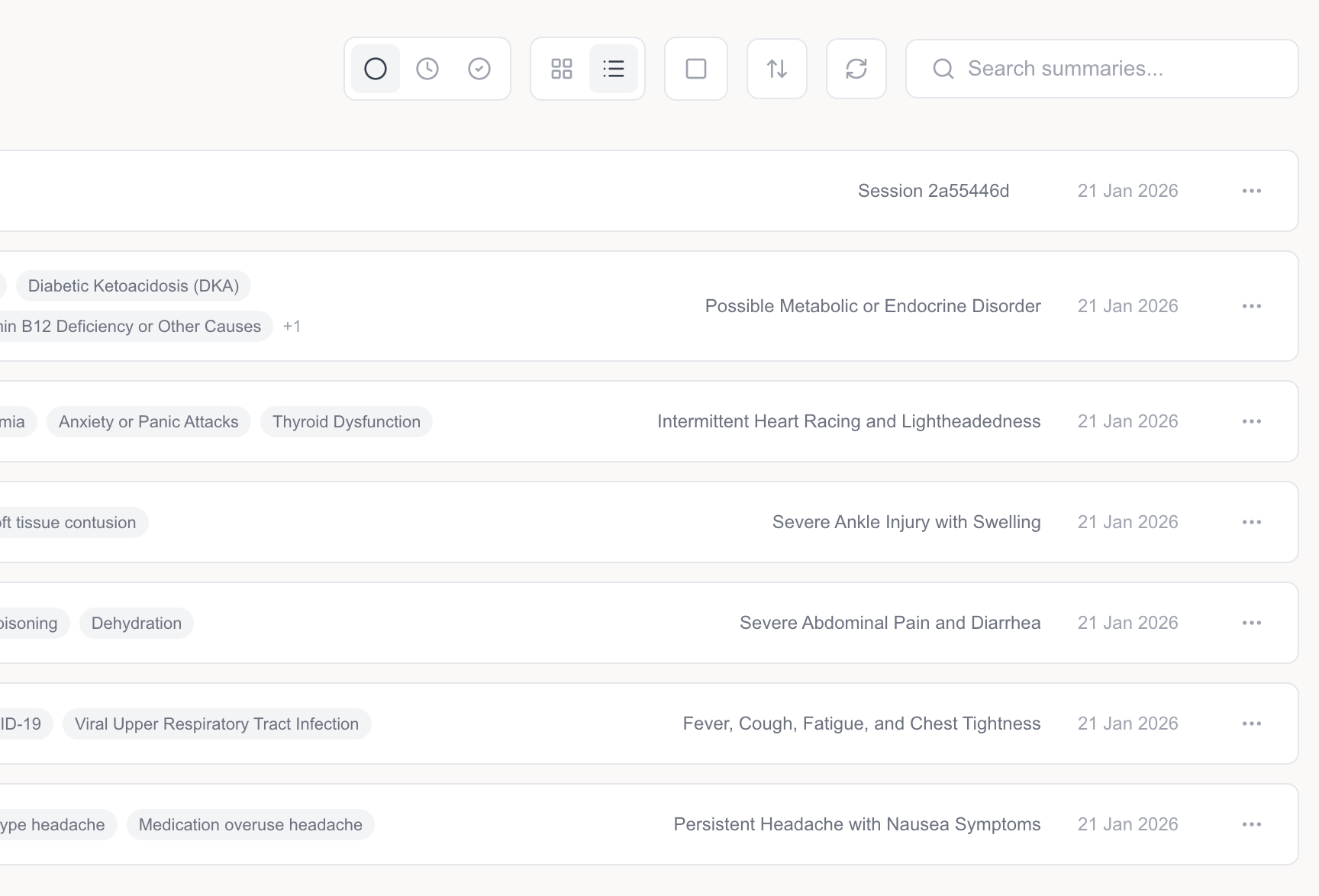
- Status Triage: Toggle between In-progress assessments and finalized Completed reports.
- Layout & Selection: Switch between Grid View and List View, with full support for Select (multi-select) batch operations.
- Search & Sync: Use Keyword Search for symptoms or dates, and the Refresh button to fetch real-time AI updates.